
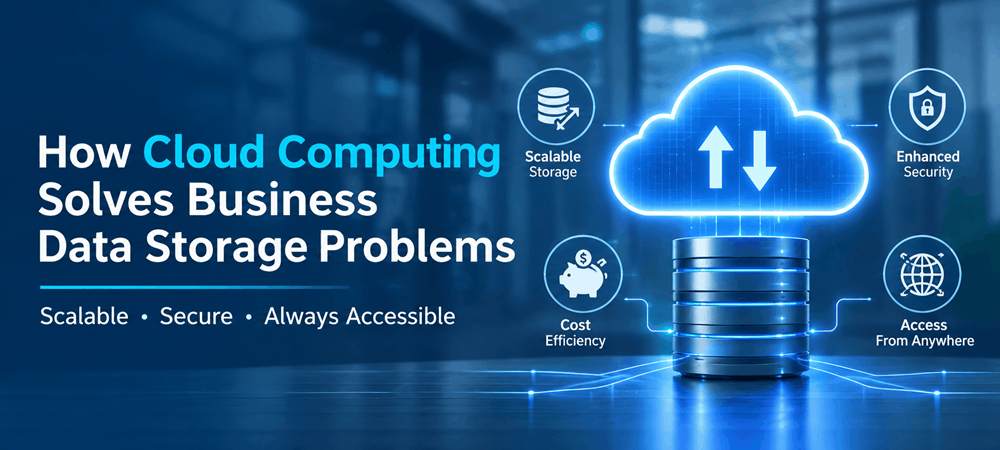
How to Solve Data Storage Problems with Cloud Computing
How to Solve Data Storage Problems with Cloud Computing
Business today. Manage enormous amounts of data every day, making cloud computing for data storage an essential solution for modern organizations. From customer information and financial records to reports, application data and manufacturing records, storing and managing this information has become a major challenge. Traditional data storage systems often struggle to keep up with increasing data volumes leading to infrastructure costs, limited storage capacity, security concerns, and accessibility issues.
Cloud computing offers a way to overcome these challenges. Depending entirely on physical servers and local storage devices, businesses can use cloud-based infrastructure to store, manage, access, and protect their data more efficiently.
Whether a company manages a growing customer database operates manufacturing facilities or develops data-intensive applications, the right cloud storage solution can simplify data management and support long-term business growth.
Let’s explore the data storage challenges businesses face and how cloud computing helps solve them.
1. Why Are Businesses Facing Data Storage Challenges?
As organizations expand their operations, the amount of data they generate increases. Traditional storage infrastructure that once supported business requirements may eventually become insufficient.
Here are some common challenges organizations experience.
Limited Storage Capacity
Businesses continuously generate information through applications, websites, connected devices, transactions, and daily operations. Traditional storage systems have physical capacity limitations requiring companies to purchase hardware whenever storage space becomes insufficient.
This creates expenses and makes it difficult to respond quickly to changing storage requirements.
Increasing Infrastructure Costs
Managing on-premises storage requires investments in servers, hard drives, networking equipment, electricity, cooling systems, and regular maintenance.
As data requirements grow, businesses must continuously upgrade their infrastructure. These expenses can become a burden, especially for growing organizations with limited IT budgets.
Data Loss and Backup Issues
Unexpected hardware failures, accidental file deletion, cyberattacks, and natural disasters can put business information at risk.
Organizations relying on backup processes may not always have updated copies of their data. Without a backup and recovery strategy, restoring critical information can become complicated and time-consuming.
Difficulty Accessing Data
When business information is distributed across servers, computers, and storage devices, accessing the right information becomes difficult.
This can affect organizations with employees, multiple office locations, or teams that need to collaborate using shared business information.
Data Security and Management Concerns
Businesses handle information, including customer records, financial details, employee information, and confidential operational data.
Managing access permissions, protecting information, monitoring security, and maintaining compliance can become increasingly complex when data is stored across systems.
These challenges highlight the need for a flexible and centralized approach to business data storage.
2. How Cloud Computing Solves Common Data Storage Problems
Cloud computing allows businesses to store and manage information using infrastructure provided through cloud platforms. Depending entirely on physical storage systems, organizations can access storage resources according to their operational requirements.
Here is how cloud computing addresses common business storage challenges.
- Expand Storage Capacity Without Purchasing Additional Hardware
One of the advantages of cloud storage solutions is scalability.
Traditional storage infrastructure requires businesses to purchase and install hardware whenever storage requirements increase. Cloud infrastructure allows organizations to increase or reduce storage capacity based on their needs.
For example, a manufacturing company expanding its production operations may generate machine data, quality reports, and inventory records. Then continuously purchasing physical storage devices, the company can expand its cloud storage resources.
This flexibility helps businesses accommodate growing data volumes without upgrading their physical infrastructure.
- Reduce Infrastructure and Maintenance Expenses
Maintaining storage systems involves significant investments in hardware, maintenance, electricity, cooling, and IT resources.
Cloud computing reduces the need for businesses to manage physical storage infrastructure themselves.
Organizations can choose cloud storage services based on their requirements and pricing models. Depending on the provider, costs may be based on storage capacity, usage, data retrieval, and other resources.
For example, a growing software company can use storage to manage application files and databases without investing in an extensive physical server environment.
This allows businesses to manage infrastructure expenses efficiently while focusing on their core operations.
- Protect Business Information Through Cloud Backup
Losing business information can interrupt operations and create financial and operational difficulties.
Cloud-based backup solutions help organizations maintain copies of important files, databases, and application information.
Businesses can configure scheduled backups and recovery processes to reduce the risk of data loss.
For example, an organization managing customer records and financial information can implement automated cloud backups to maintain copies of business data.
If its primary server experiences a failure, the organization can restore information from backup copies.
However, effective data protection requires more than storage. Businesses should also establish retention policies, test recovery procedures, and implement appropriate security controls.
- Access Business Data from Different Locations
Organizations with offices and remote teams often struggle with disconnected storage systems.
Cloud computing makes it easier for authorized employees to access business information through approved applications and platforms.
Consider a manufacturing company operating production facilities in different locations. Its management team may need access to inventory reports, production records, and operational information from facilities.
A configured cloud environment can provide centralized access to relevant information, helping teams collaborate and coordinate their activities more efficiently.
- Improve Data Security and Access Control
Protecting business information is essential particularly when organizations manage customer and operational records.
Cloud platforms offer security capabilities that businesses can configure according to their requirements.
These may include:
- Data encryption during transmission and storage.
- Role-based access control.
- Multi-factor authentication.
- Security monitoring and activity logs.
- Backup and recovery mechanisms.
- Network security configurations.
These features help businesses manage access to information and reduce the risk of unauthorized activity.
However, cloud security follows a shared responsibility model. Organizations must also configure their environments to correctly manage user permissions and maintain security policies.
3. Real-World Applications of Cloud Storage Across Industries
Cloud computing supports more than file storage. It helps businesses manage information, improve data accessibility, and connect to different business systems.
Let’s look at some industry use cases.
Manufacturing: Managing Volumes of Production Data
Manufacturing facilities generate significant amounts of data through machinery, industrial sensors, quality control systems, and production management applications.
When this information is stored across systems, manufacturers may struggle to monitor production activities and analyze operational performance.
Cloud-based solution:
Manufacturers can use cloud infrastructure to centralize production data collected from devices and business applications.
This information can support real-time monitoring, historical data analysis, predictive maintenance, and production reporting.
For example, a company operating manufacturing facilities can use centralized cloud storage to manage production records and provide authorized teams with access to relevant operational information.
Healthcare: Managing Digital Patient Records
Healthcare organizations manage records, medical reports, diagnostic images, and administrative information.
Traditional storage systems can create difficulties when managing growing data and providing authorized professionals with timely access to relevant records.
Cloud-based solution:
Cloud storage can support centralized record management through secure applications, encryption, access permissions, and appropriate backup policies.
Healthcare providers can use these systems to improve information availability while following healthcare privacy and data protection regulations.
Retail: Managing Customer and Inventory Information
Retail businesses collect information from stores on point-of-sale systems, inventory platforms, and customer management applications.
As operations expand, managing this information across systems can become increasingly difficult.
Cloud-based solution:
Cloud infrastructure provides storage for customer information, transaction records, product details, and inventory data.
Businesses can also connect cloud-based applications with analytics tools to understand purchasing patterns to monitor inventory and make business decisions.
IT and Software Development: Managing Application Data
Software companies generate application logs, user information, database records, development files, and testing data.
Limited local storage and disconnected infrastructure can create difficulties when applications experience increasing usage.
Cloud-based solution:
Cloud storage and cloud databases allow development teams to manage application information using infrastructure.
They can also integrate cloud storage with APIs, development environments, and application deployment workflows to support changing software requirements.
4. Types of Cloud Storage Solutions
Not every business has the same data storage requirements. Choosing the right cloud storage architecture depends on the type of information, application requirements, performance expectations, and budget.
Here are three used cloud storage types.
Object Storage
Object storage is designed to store volumes of unstructured information, including images, videos, documents, backups, and application files.
It is suitable for organizations that generate amounts of digital content and require scalable storage infrastructure.
Block Storage
Block storage divides data into fixed- blocks and is commonly used for applications that require consistent performance and low-latency access.
It is suitable for machines, enterprise applications, and databases, with demanding storage requirements.
File Storage
File storage organizes information into files and folders allowing users and applications to access shared information through a structure.
Businesses commonly use it for shared documents, team collaboration, content management, and application workloads.
Selecting the storage type helps organizations balance performance, accessibility, and infrastructure costs.
5. How to Implement Cloud Storage in Your Business
Moving business information to the cloud needs planning. Just moving files to a platform might not fix the problems with storage and management.
Businesses need to follow a process when implementing cloud solutions.
Step 1: Evaluate Your Current Storage System
Begin by finding out how data your business has, where it is kept, and which programs use it.
Check the limits of your storage, how you back up data, how secure it is, and how much it costs to maintain.
Step 2: Find Out What Your Business Needs
Decide what kind of storage you need now and in the future.
Think about how space you need, how fast your applications need to run, how easy it is to get the data, how secure it is, how you can get it back if needed, and how your business will grow.
Step 3: Pick the Right Cloud Storage Type
Choose the cloud setup based on your business needs.
Companies can choose between clouds, private clouds or a mix of both depending on how secure they need to be, how they operate and how they want to connect everything.
Step 4: Create a Plan for Moving Data
Decide how your data will move from your system to the cloud.
The plan should include sorting data planning on how to move it, checking that it works, making sure programs will work, and handling any downtime.
Step 5: Set Up Security and Backup Rules
Put in place encryption ways to log in who can see what, when backups happen and how to get data back.
These steps help keep business data safe and keep work going
Step 6: Keep an Eye on and Improve Cloud Storage
Check how much storage is being used, how well the system is working, how safe it is, and how much it costs.
Businesses should also look for data that is not needed anymore and think about the way to store it to use resources better.
6. What Should Businesses Think About Before Choosing Cloud Storage?
Even though cloud computing has benefits, companies should think about what they need before picking up a cloud storage provider or setup.
Here are some important things to consider:
- Security: Know what security features are available and what the company is responsible for protecting data.
- Scalability: Make sure the storage system can grow with the business.
- Cost: Look at the costs for storage moving data, getting data back and any other services.
- Performance: Think about what the programs need, how fast data can be accessed, and how delay there is.
- Compliance: Check out the rules about data protection, privacy, and industry standards.
- Disaster recovery: Make sure there are plans for backing up data, getting it back and keeping the business going.
- Integration: Make sure the cloud system works with the programs and systems the business already has.
A good cloud storage plan should solve problems and help with the business future needs.
7. How Sapizon Technologies Helps Businesses Use Cloud Solutions
Dealing with data than ever needs more than just more space. Companies need a plan that helps them grow to get data easily, keep it safe, and work better.
Sapizon Technologies helps companies find technology options that match their plans and what they need to run their business.
From planning cloud setups to making custom apps and connecting to the cloud, the right technology choice can help companies store, manage and use their data better.
No matter if your business is moving to the cloud updating apps or building new cloud-based tools, the right tech partner can make the process more organized and easier to handle.
More data, not storage, high costs and problems getting data can hurt how well a business works.
Cloud computing offers a way to fix these issues with storage that can grow one place to manage data, backups and better access.
By choosing the right cloud storage and using security and management methods, companies can build a stronger data system that will help them grow in the future.
Want to make your business data system better? Get in touch with Sapizon Technologies to look into options that fit your business needs.